
An IT disaster recovery plan template provides a structured framework for restoring critical technology services after a major disruption. For business owners and executives, a well-crafted plan is a core component of risk management and compliance. It is the official playbook that guides your team through a crisis, ensuring a measured, effective response instead of a chaotic scramble.
A proper disaster recovery plan (DRP) moves beyond a simple checklist. It aligns technology recovery steps directly with core business objectives, ensuring that the systems supporting revenue and client services are restored first. Relying on a generic, one-size-fits-all template introduces significant business risk, as it may not address your specific operational, financial, and regulatory requirements. The goal is to create a living document that prepares your organization for real-world scenarios, from a ransomware attack to a regional power outage.
Why a Generic Template Is a Business Risk
Relying on a generic IT disaster recovery plan template is a significant risk for any business, particularly those in regulated industries like finance or law. Free, downloadable templates often fail to account for specific operational dependencies and compliance mandates. An effective plan is not just about restoring servers; it is a comprehensive framework that connects technology recovery directly to your business continuity strategy.
The objective is to develop a dynamic guide for organizational preparedness, not a static file that remains unread. Your plan must be tailored to address realistic threats, ensuring your business can withstand the financial and operational impact of a disruption.
Key Focus Areas of an Effective DRP
A disaster recovery plan (DRP) that functions effectively must be customized to your unique IT environment and business needs. A robust template should guide you through several critical areas:
- Compliance and Governance: For businesses in regulated sectors, documenting recovery procedures to meet specific legal and industry requirements is non-negotiable.
- Operational Resilience: The plan must prioritize the recovery of systems that directly support client services, revenue generation, and core operations to minimize financial impact.
- Data Integrity: It must ensure that critical business data, particularly within platforms like Microsoft 365 and SharePoint, can be restored to a known, reliable state.
- Clear Responsibilities: The plan must assign specific roles and responsibilities before a disaster strikes. This simple step eliminates confusion and dramatically accelerates response times when every second counts.
One of the most common mistakes is treating a DRP as a one-time project. Your plan must evolve with your business. Any significant change—new software, key personnel moves, or updated business processes—should trigger an immediate review and update of the document.
The process is cyclical. A plan is not complete once it is written; it requires an ongoing commitment to assessment, planning, and—most importantly—testing.
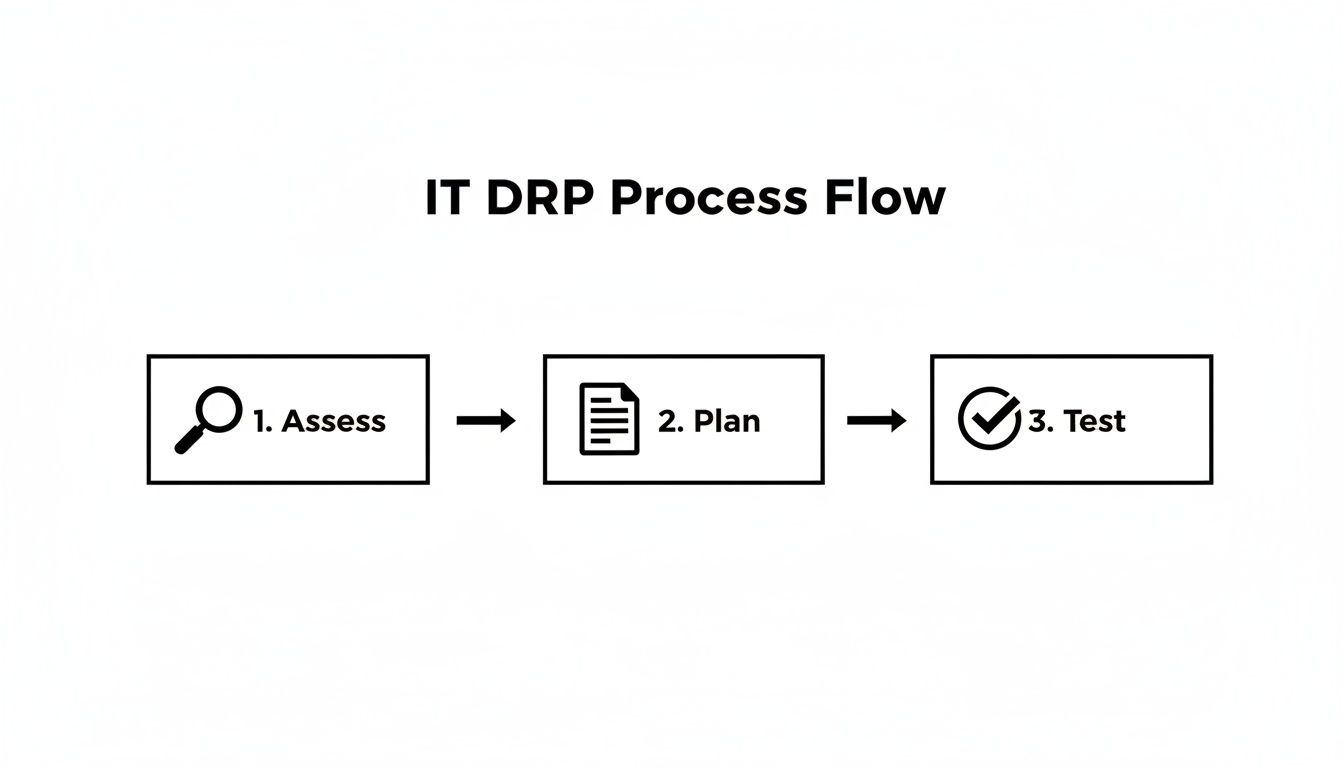
This workflow underscores that assessing risks, planning responses, and testing those plans are interconnected activities. To protect your operations and maintain client trust, you must invest the time to build a plan that truly reflects how your business functions. This proactive approach transforms a static document into a powerful tool for resilience.
If you need assistance building this framework, our experts in managed IT services can help with an initial assessment.
Key Components Of A Robust IT Disaster Recovery Plan
A well-structured DRP template provides the essential framework for your resilience strategy. Our template is organized into clear sections, each serving a distinct purpose to ensure no critical detail is overlooked during a crisis.
| Component | Purpose | Key Action Items |
|---|---|---|
| Roles & Responsibilities | To eliminate confusion by pre-assigning specific duties to team members. | – Define the Disaster Recovery Team. – Assign a team lead. – List contact information and backups for each role. |
| Recovery Objectives (RTO/RPO) | To establish clear, measurable targets for system restoration and data recovery. | – Define Recovery Time Objectives (RTO) for critical systems. – Define Recovery Point Objectives (RPO) for data. – Align objectives with business impact analysis. |
| Asset & Dependency Mapping | To identify all critical IT assets and understand how they interconnect. | – Inventory all hardware, software, and cloud services. – Map dependencies between applications and infrastructure. – Identify single points of failure. |
| Backup & Restore Procedures | To provide step-by-step instructions for recovering data from backups. | – Document procedures for all backup types. – Specify locations of backup media and credentials. – Outline data verification steps post-restoration. |
| Communication & Escalation Plan | To ensure timely and accurate information flow to stakeholders during a disaster. | – Create templates for internal and external communications. – Define escalation paths for technical and management issues. – List contact details for all key stakeholders and vendors. |
| Testing Schedule & Procedures | To validate the plan's effectiveness and identify areas for improvement. | – Schedule regular tabletop exercises and full-scale tests. – Document test scenarios, procedures, and expected outcomes. – Create a process for incorporating lessons learned. |
| Compliance & Controls | To ensure recovery activities align with regulatory and legal requirements. | – Document specific controls for data privacy and security. – Reference relevant regulations (e.g., PIPEDA). – Outline procedures for post-incident reporting. |
By methodically addressing each of these components, you transform a generic template into a customized, actionable playbook that genuinely protects your business.
Assembling Your Disaster Recovery Team
An IT disaster recovery plan template is a technical roadmap, but the success of any recovery effort depends on people. The first step in developing a functional plan is to build a dedicated, cross-functional Disaster Recovery (DR) Team. This is the group that will execute the plan, make critical decisions under pressure, and guide the business back to normal operations.

To manage a crisis effectively, you must define specific responsibilities and pre-authorize decision-making power. Waiting for executive approval to take a critical action during a system-wide outage costs valuable time and money. A well-organized team with a clear chain of command can act decisively, minimizing the business impact.
Defining Core Roles And Responsibilities
Every DR Team needs a clear leader and individuals assigned to specific functional areas. This structure ensures all aspects of the recovery—from technical restoration to client communication—are handled concurrently and without confusion.
Key roles to establish in your plan include:
- DR Coordinator (Team Lead): This person directs the entire recovery effort. They are responsible for activating the DRP, coordinating all team activities, and serving as the primary liaison to the executive leadership team.
- Technical Recovery Lead: This is the hands-on expert responsible for restoring IT infrastructure. They oversee the recovery of servers, networks, applications, and data from backups, working with internal IT staff or your managed IT services for small business provider.
- Communications Lead: This role manages all internal and external messaging. Their responsibility is to keep employees informed, update clients on service status, and handle any required communications with regulatory bodies.
- Business Liaison: This individual acts as the bridge between the technical recovery team and department heads. They help prioritize system restoration based on real-time business needs and report progress back to the organization.
Establishing A Clear Chain Of Command
A disaster is the worst time to debate who has the authority to make a critical decision. Hesitation can turn a manageable incident into a prolonged crisis. Your DRP must clearly document the chain of command, detailing who is in charge and who serves as a backup if a primary contact is unavailable.
A common failure point in disaster recovery is decision paralysis. Pre-authorizing the DR Coordinator to make key operational decisions—such as failing over to a secondary site or isolating a network segment—can reduce costly downtime by hours. The plan must empower the team to act, not just wait for approval.
This requires more than a simple list of names. You must create a detailed contact tree with primary, secondary, and tertiary contacts for every role. This information must be stored in multiple locations, including physically printed copies kept off-site, as digital access cannot be guaranteed during a real disaster.
Conducting A Business Impact And Risk Analysis
Before developing a recovery strategy, you must understand what you are protecting and why. The Business Impact Analysis (BIA) and Risk Assessment are foundational processes that inform your entire IT disaster recovery plan. They help translate technical issues into tangible business risks.
The purpose of this analysis is to quantify the real-world consequences of an outage. What is the cost to your business—per hour or per day—if critical systems go offline? This evaluation helps you prioritize recovery efforts based on financial impact, lost productivity, regulatory fines, and reputational damage.
Identifying And Prioritizing Critical Functions
The first step is to identify your most critical business functions—the processes that, if interrupted, would cause the most significant harm to your operations. For example, a professional services firm might prioritize client intake, document management, and billing systems. Once these functions are listed, you must map the specific IT systems that support each one.
This mapping exercise often reveals critical dependencies. You might discover that both your billing and case management software rely on the same database server, exposing a single point of failure that could halt multiple core functions.
A common mistake is treating all IT systems as equally important. They are not. A business can likely survive a few days without its marketing software, but an inability to access client records can cause immediate and catastrophic operational failure. Prioritization is essential.
An accurate, up-to-date inventory of your IT assets is a prerequisite for a thorough BIA. Following IT Asset Management Best Practices is crucial for this step.
Calculating Your Recovery Objectives
With your priorities established, you can define the two most important metrics in disaster recovery:
-
Recovery Time Objective (RTO): This is the maximum acceptable amount of time a system can be offline following a disaster before causing significant business harm. The RTO for a critical client database might be four hours, while an internal HR portal could have an RTO of 48 hours.
-
Recovery Point Objective (RPO): This defines the maximum amount of data loss the business can tolerate, measured in time. An RPO of one hour for an accounting system means backups must be recent enough that you never lose more than 60 minutes of transaction data.
These two objectives directly influence your technology choices and budget. A near-zero RTO and RPO require sophisticated, high-cost solutions, while more lenient objectives allow for more cost-effective strategies. Understanding this trade-off is key to aligning your DR plan with both operational needs and financial realities. This analysis is a core component of a broader strategy, which you can learn more about by understanding what is business continuity planning.
Assessing Real-World Risks
The final step is a practical risk assessment. This involves identifying specific threats relevant to your business and location, then evaluating their likelihood and potential impact. The most probable threats are often the most mundane.
Consider risks such as:
- Cyberattacks: Ransomware remains a primary threat, capable of encrypting all business data.
- Hardware Failure: Servers and storage devices have a finite lifespan and can fail without warning.
- Power Outages: A prolonged outage can exhaust battery backups and bring all operations to a halt.
- Human Error: Accidental deletion of a critical file or system misconfiguration are common causes of data loss.
The threat landscape varies by region. According to Infrascale, a leading DR solutions provider, only 13% of organizations recover all their data after a ransomware attack, highlighting the severe financial and reputational risks of being unprepared. You can find more statistics in Infrascale's disaster recovery report.
Combining a clear-eyed business impact analysis with a realistic risk assessment provides a data-driven foundation for your entire recovery strategy.
Developing Technical Recovery and Communication Strategies
Once you have mapped your critical systems and defined recovery objectives, the next step is to document concrete, actionable procedures. This involves detailing the exact technical steps for recovery and creating a clear communication plan to manage the human element of a crisis.
A successful recovery requires that technical execution and stakeholder communication work in tandem. A brilliant technical recovery can be undermined by poor communication, and a great communications plan is useless if the systems remain offline.

This is where your IT disaster recovery plan template evolves from a high-level guide into a detailed instruction manual. For every critical system, you need granular, step-by-step procedures that a team member could follow under extreme pressure.
Documenting Backup and Restoration Procedures
Your ability to recover from an incident depends entirely on your backups. Your plan must detail every aspect of your backup strategy to eliminate guesswork during a crisis.
The type of backup you use will determine the balance between storage cost and restoration speed.
- Full Backups: A complete copy of all data. They are simple to restore from but require the most time and storage space to create.
- Incremental Backups: These capture only the data that has changed since the last backup of any kind. They are fast and small, but restoration is complex, requiring the last full backup plus all subsequent incremental backups.
- Differential Backups: This method copies all data that has changed since the last full backup. Restoration is simpler than with incremental backups, as it requires only the last full backup and the latest differential copy.
For robust protection, particularly against ransomware, your strategy must include off-site and immutable backups. An off-site backup is a copy stored in a separate physical location, protecting you from localized events like a fire or flood. An immutable backup is a copy that cannot be altered or deleted, even by an administrator, providing a critical safeguard against attackers who target backup files. As you build your technical plan, consider researching strategies for multi-provider failover reliability to enhance system resilience.
Tailoring Recovery for Microsoft 365
A common and dangerous misconception is that Microsoft handles all backup needs for services like SharePoint and Exchange Online. While Microsoft provides excellent infrastructure resilience to keep the service running, their default policies do not protect your organization from data loss due to accidental deletion, malicious insiders, or ransomware.
Without a dedicated backup solution, a simple user error or a targeted cyberattack could lead to significant data loss.
Your IT disaster recovery plan template must include a dedicated section for Microsoft 365. You need to document the exact procedures for restoring mailboxes, SharePoint sites, and OneDrive files from your third-party backup solution. This is a common gap in many DRPs and can have devastating consequences.
The increasing scale and frequency of regional disasters underscore the urgency of this planning. For instance, the 2018 Camp Fire in California resulted in 27,057 individual assistance applications, highlighting the immense strain placed on IT infrastructure during large-scale recovery efforts.
Creating a Structured Communication Plan
During a disaster, controlling the flow of information is critical for maintaining trust with employees, clients, and regulatory bodies. A well-defined communication plan prevents misinformation and panic, promoting a calm and professional response.
Your plan should include pre-drafted message templates for different scenarios and audiences:
- Internal Communications (Employees): Provide clear, concise updates on the situation, recovery efforts, and expectations for staff. Honesty and transparency are key.
- External Communications (Clients): Acknowledge the issue professionally, state your commitment to resolving it, and provide realistic timelines for service restoration. The goal is reassurance.
- Regulatory Notifications: For regulated industries, have templates ready to notify the necessary bodies within the mandated timeframe, including all required incident details.
The plan must also assign clear ownership for communications and specify the channels to be used (e.g., email, text alerts, status page). This protocol creates a single source of truth and prevents conflicting messages from causing confusion. This is a critical component when developing advanced cybersecurity frameworks safeguarding your business’s most sensitive data.
Implementing A Robust Testing And Maintenance Schedule
An IT disaster recovery plan template is only a theory until it is tested. To transform it into a reliable strategy that protects your business, you must commit to a rigorous schedule of testing and ongoing maintenance.
Without regular validation, you have no real assurance that your procedures, technology, and team can perform under the pressure of an actual crisis.
Regular testing is non-negotiable. It is the only way to uncover hidden flaws—such as incorrect contact information, outdated recovery steps, or unknown software dependencies—before they disrupt your response during an emergency. A proactive testing schedule builds "muscle memory" for your DR team and builds confidence among company leadership.
Choosing The Right Types Of DR Tests
Not all tests require a full-scale shutdown of your operations. It is best to use a mix of testing methods, balancing the depth of the test with its potential for operational disruption. This layered approach ensures your plan is evaluated from multiple angles without unnecessarily impacting day-to-day business.
A well-rounded testing program typically includes:
- Tabletop Exercises: These are structured walkthroughs where the DR team discusses their roles and responses to a simulated disaster scenario. They are a low-impact way to identify gaps in communication and decision-making processes.
- Failover Simulations: These are more technical tests where you simulate the failure of a primary system to ensure that backup systems activate as expected. This can often be done in an isolated environment to avoid impacting live operations.
- Full-Scale Recovery Tests: This is the most comprehensive test, involving a complete failover to your secondary site or cloud environment. While potentially disruptive, it is the only way to truly validate your ability to meet your Recovery Time Objectives (RTO) and Recovery Point Objectives (RPO).
The goal of testing is not to achieve a perfect score; it is to find weaknesses. Every gap you identify during a controlled test is one less surprise you will face during an actual emergency. Document every lesson learned and use that information to strengthen the plan.
Creating A Sustainable Maintenance Rhythm
Your DRP is a living document that must evolve with your business. Any significant organizational change—new software, different key personnel, or a new office location—should automatically trigger a review of the plan. This practice keeps the document accurate and relevant.
A practical maintenance schedule should include:
- Quarterly Reviews: At a minimum, review all contact lists, vendor information, and team assignments. Personnel changes are a common reason for plan failure.
- Annual Plan Updates: Conduct a full review of the document once a year. Update procedures to reflect new technologies, changing business processes, or new compliance requirements.
- Post-Incident Reviews: After any real-world disruption, even a minor one, perform a thorough review. Analyze what worked, what did not, and how the plan can be improved.
The importance of a tested plan was illustrated when the California Department of Technology (CDT) used its pre-planned digital tools to support emergency response efforts. According to NASCIO, these tools streamlined operations and reduced support calls by 30%, demonstrating how prepared IT infrastructure can dramatically improve crisis response. You can learn more about how digital tools streamlined California's emergency response.
By integrating regular testing and diligent maintenance into your operational calendar, you transform your IT disaster recovery plan from a static document into a dynamic and reliable tool for business resilience.
Putting Your Plan Into Action for Real Business Resilience
An IT disaster recovery plan is more than a technical document; it is a foundational part of your business strategy. It represents a commitment to operational stability, client trust, and long-term viability. The template provided here is a starting point—a framework to guide critical conversations about your organization’s specific risks and operational priorities.

True business resilience comes from proactively customizing your plan, aligning it with business goals, and testing it regularly. This is how you effectively manage risk, maintain compliance, and protect your reputation—and your bottom line—when a disruption occurs.
Your IT disaster recovery plan must be a living strategy, not a static file. Its value is derived from continuously aligning it with your evolving business processes, technologies, and team.
If customizing and implementing this IT disaster recovery plan template seems overwhelming, or if your organization lacks dedicated in-house expertise, consider seeking professional guidance. An expert assessment can provide the clarity and direction needed to build a truly resilient technology foundation, allowing your team to focus on their core responsibilities with confidence.
Answering Your Top Questions About IT Disaster Recovery
Developing an IT disaster recovery plan often raises important questions. The process is complex, and it is easy to get lost in the details. Here are answers to some of the most common questions we hear from business leaders.
How Often Should We Test Our IT Disaster Recovery Plan?
The frequency of testing depends on your organization's risk profile and the rate of technological change. As a general rule, you should conduct tabletop exercises quarterly. These strategic walkthroughs keep your DR team familiar with the plan without impacting live systems.
A full technical failover test should be performed at least annually. However, any major IT change—such as migrating to a new cloud service, deploying a new core business application, or onboarding a new IT partner—should trigger an immediate, targeted test of the affected components of the plan. An untested plan is a document; a tested plan is a strategy.
What Is The Difference Between A Disaster Recovery Plan And A Business Continuity Plan?
These terms are often used interchangeably, but they address different aspects of organizational resilience.
- An IT Disaster Recovery Plan (DRP) is narrowly focused on restoring technology infrastructure and services. It is the technical playbook for recovering servers, applications, and data after an incident.
- A Business Continuity Plan (BCP) is a holistic strategy for keeping the entire business operational during a crisis. It encompasses all business functions, including operations, client communications, HR, and facilities management.
The DRP is a critical component of the broader BCP. The business cannot continue to operate if its people cannot access the technology and data they need to perform their jobs.
A common mistake is for an IT department to develop a DRP in isolation. To be effective, technology recovery objectives must directly reflect business priorities. Determining which systems to restore first is a business decision, not an IT decision.
Does A Small Business Really Need A Formal IT DRP?
Yes, absolutely. Small and midsize businesses are often more vulnerable to disasters than large enterprises because they typically lack the financial reserves to absorb a prolonged outage. An incident that might be a minor disruption for a large corporation could be a business-ending event for an SMB.
A formal IT disaster recovery plan template, even a basic one, provides a clear roadmap to follow during a crisis. It eliminates guesswork and panicked decision-making, ensuring that every team member knows their role, critical data is protected, and the business can be restored quickly. This preparation is not just about technology; it is about protecting revenue, reputation, and client trust.
At Tricord I.T Solutions, we specialize in building resilient technology foundations for law firms and regulated businesses. If you need expert guidance to customize and implement an IT disaster recovery plan that truly protects your operations, schedule a consultation with our team.